My Certificates
https://rbs.ces.myfiinet.com/rbs/my-certificates
Overview
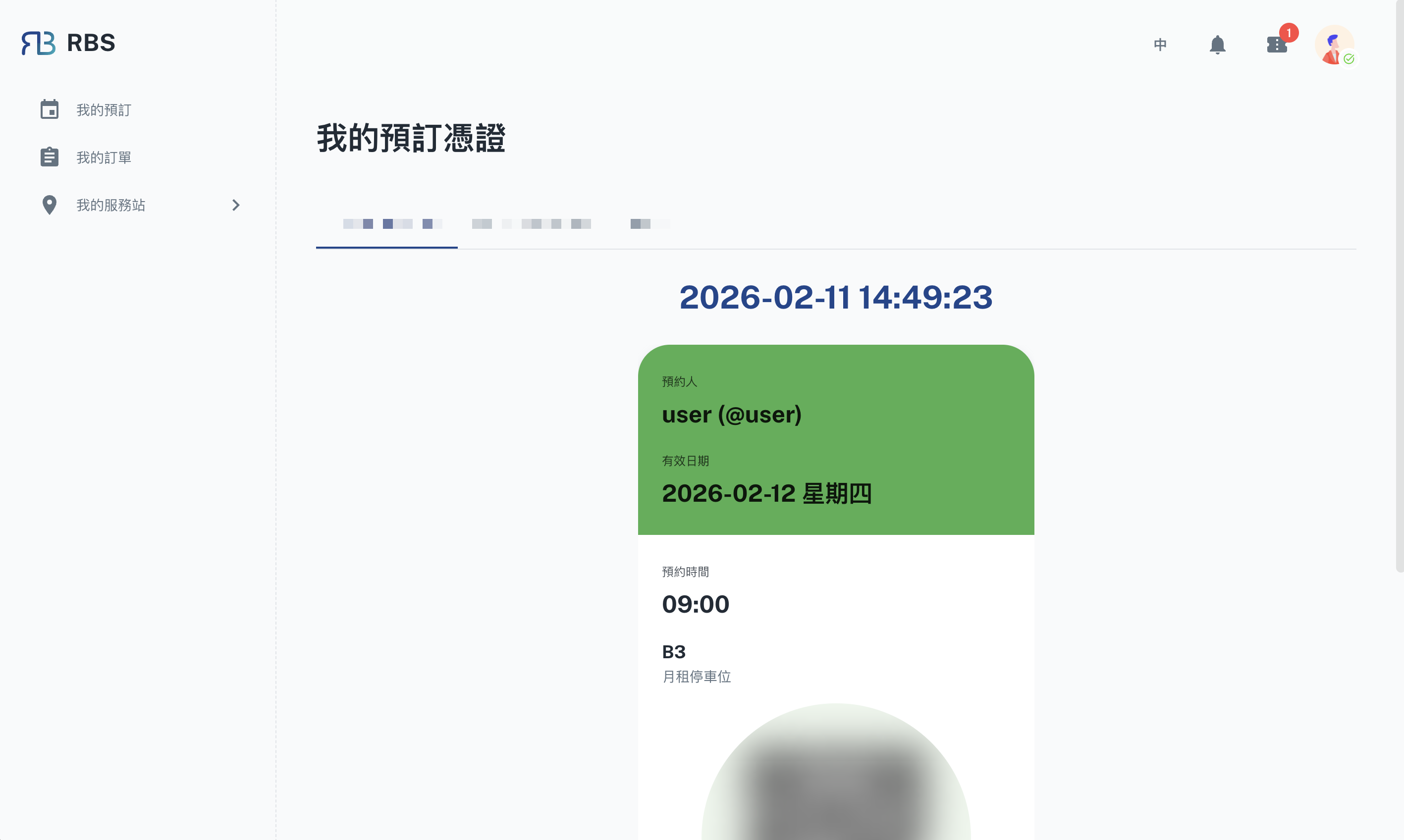
The My Certificates page provides users with a visual, card-based view of their upcoming reservations across all joined sites. Each reservation is displayed as a certificate card with real-time status tracking, making it easy to verify active bookings at a glance.
Key Features
- 🏷️ Site Tabs: Reservations are organized by site. Switch between tabs to view certificates for different sites. Each tab shows the number of upcoming reservations.
- ⏱️ Real-Time Clock: A live clock is displayed at the top of the page, showing the current time for quick reference.
- 🎴 Certificate Cards: Each reservation is presented as a swipeable card containing:
- Reservation details (resource name, item, date, time)
- Visual status indicator (active or expired)
- Color-coded by day of the week
- 📱 Swipeable Carousel: Browse through multiple certificates using a swipeable carousel interface with pagination dots.
- 🔴 Expiration Tracking: Certificates automatically update to show whether a reservation is still active or has expired, with a pulse animation for active entries.
How to Use
- Navigate to My Certificates from the sidebar or top navigation.
- Select a site tab to view your upcoming reservations for that site.
- Swipe left or right to browse through your certificate cards.
- Use the real-time clock and expiration indicators to verify your booking status.
Note: Only reservations within the upcoming week are displayed. To view all reservations, visit My Reservations.