Book a Day Parking Space
This guide walks you through choosing a day parking space, selecting a date and time, reviewing the booking details, and stopping just before submission. The same flow also applies to other time-slot resources, such as meeting rooms.
You want to book space B3 from the “STRC_SITE” service site on August 18 from 10:00 to 10:30. You do not need an EV charging space and will book as a signed-in site member.
The screenshots were captured from user portal v1.6.0 in Traditional Chinese. The visible steps 訂單詳情, 預約者資訊, and 確認訂單 correspond to Order details, Booker info, and Confirm order in the English interface.
Before you start
- Sign in to RBS and join the “STRC_SITE” service site.
- Confirm the required date, time, and whether you need EV charging.
- If the resource requires approval, confirm who should approve the request.
If you have not found the service site yet, see Browse service sites.
Steps
1. Open the day parking resource
Find Day Parking in the service site, confirm that your identity is allowed to book it, and select Book on the resource card.
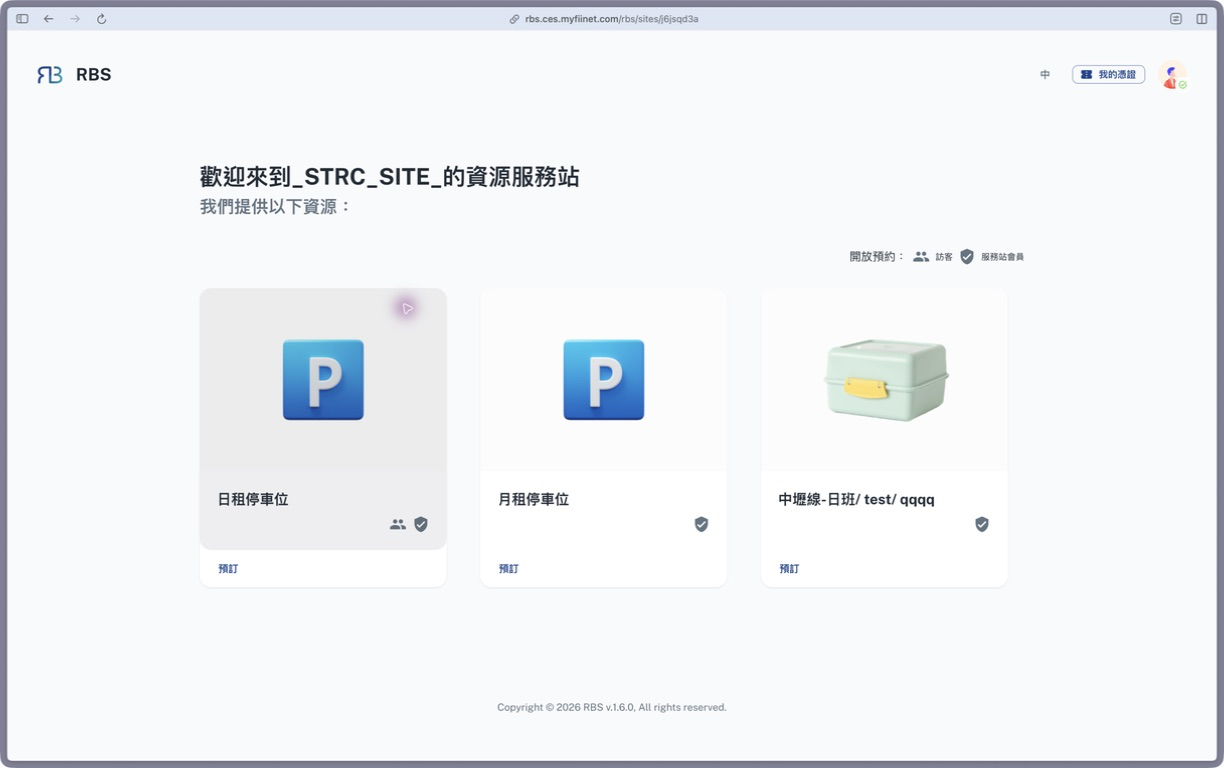
Check the screen: the site lists day and monthly parking resources; use the day parking resource for this example.
2. Select parking space B3
Select B3 from the item list. The date and time controls appear only after the item card has a selected outline and check mark.
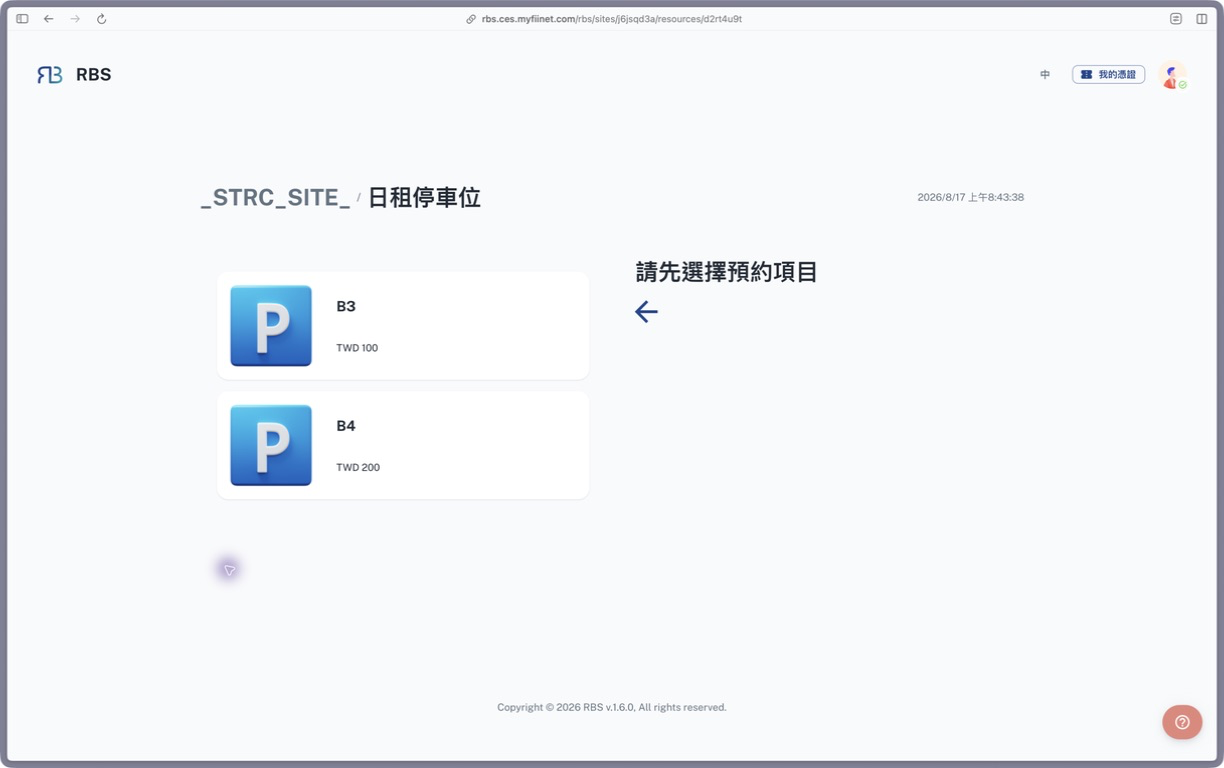
Check the screen: B3 and B4 are listed on the left; before an item is selected, the right side asks you to choose a booking item.
3. Select the date, condition, and time
Complete the booking details in order:
- Select August 18 from the calendar.
- Set EV charging space to No.
- Select 10:00. This resource allows 30-minute bookings, so the end time is 10:30.
- Review the date and time, then select Next.
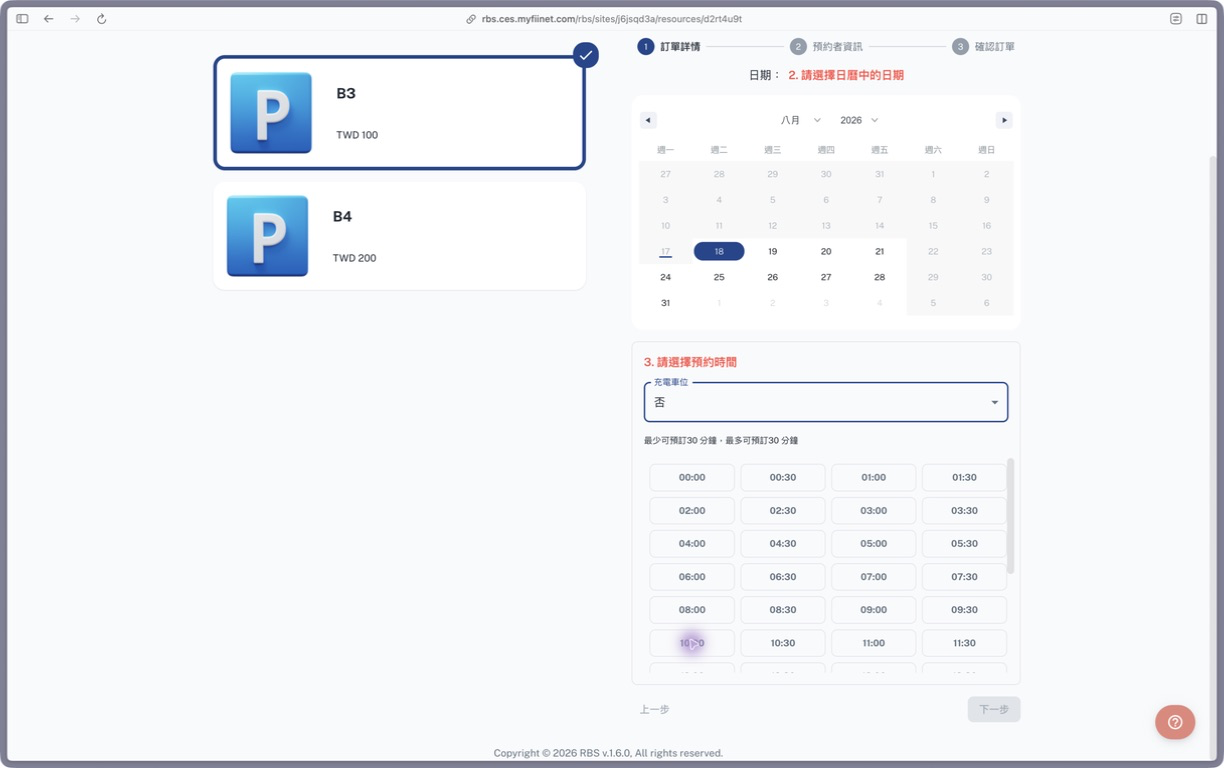
Check the screen: B3 has a selected outline and check mark; the right side shows the calendar, EV charging field, and 30-minute time slots.
4. Review the booker information
Under Booker info, verify the name, email address, and phone number. A signed-in site member’s account details are filled in automatically.
If the resource permits guests, you can instead choose Book as guest and enter contact details. A guest must activate the request through the email sent after submission.
5. Confirm the booking
Under Confirm order, verify:
- Resource: Day Parking; item: B3.
- Date: August 18; time: 10:00–10:30.
- EV charging space: No.
- Booker name and contact details.
Go back if anything is incorrect. If Process Info appears, choose the required approver. Submit only after every detail is correct.
Verify the result
After submission, the result page reports whether the order was created, is waiting for another workflow step, needs admin assignment, or failed. For a successful order, verify the item, date, and time, then use one of these actions:
- Add to calendar
- My Orders
- Return to service site
See Understand the submission result for details.
Troubleshooting
The date or time is unavailable
The slot may not be open yet, may already be booked, or may violate an advance-booking rule. Choose another slot. If no reasonable slots are available, ask the service site administrator to check the opening rules.
Next is still disabled
Confirm that you selected B3, a date, the EV charging condition, and an available time slot.
I cannot book as a site member
Confirm that you are signed in with the correct account and joined the current service site. Otherwise, use the guest flow if it is allowed, or ask an administrator to check your membership.
The order is still waiting
Orders with approval or handling workflows do not finish immediately. Check the current status under My Orders.
Next step
After submission, use Find and cancel your bookings to track the order, or My Reservations to review dates and time slots.