Shop Extension
https://rbs.ces.myfiinet.com/rbs-admin/resource-management/shop-extension
Overview
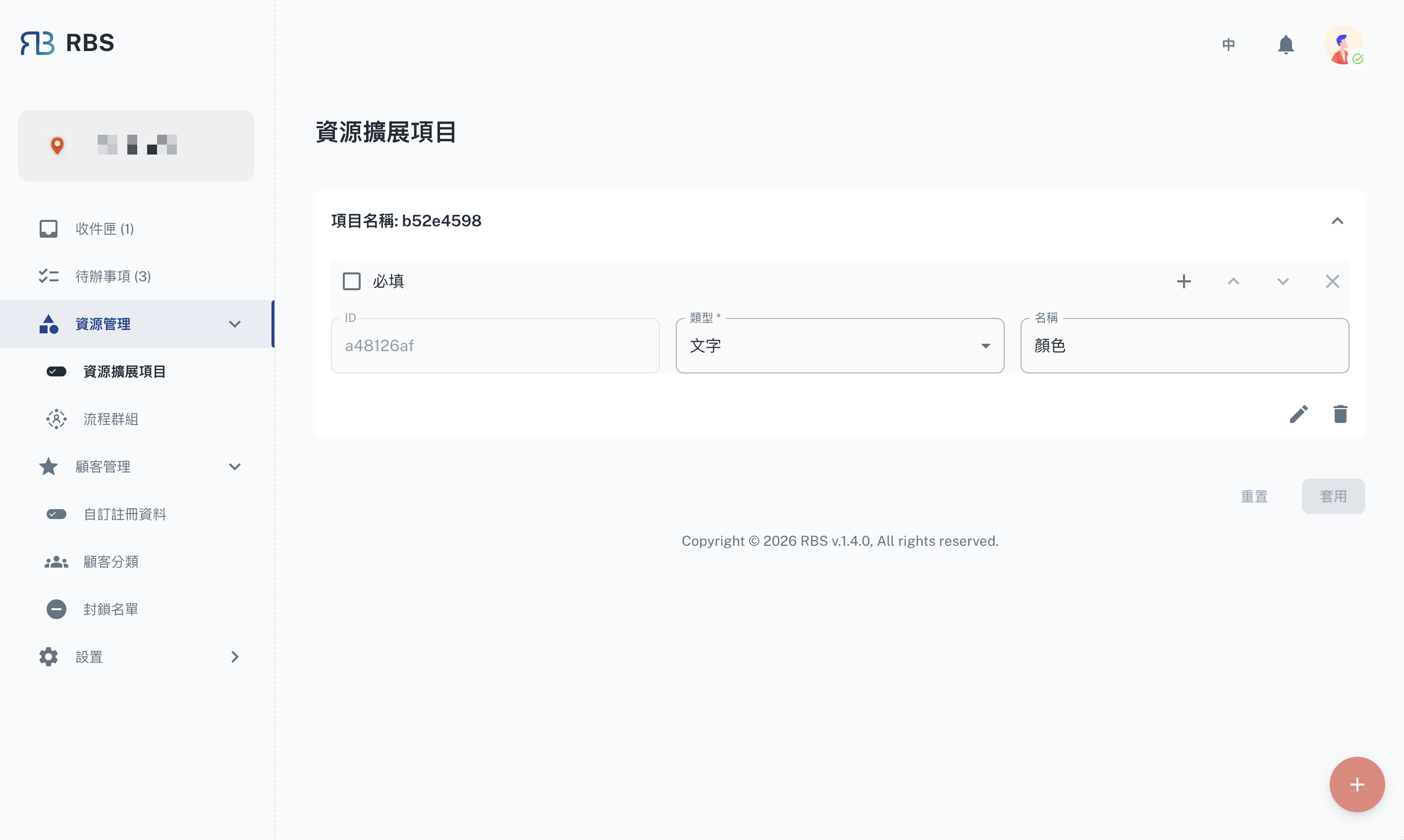
The Shop Extension page allows administrators to define and manage custom extension fields for resources (shops). These extension fields enable organizations to capture specific data tailored to their needs, such as custom location identifiers, floor numbers, or any other attributes that enhance resource management.
Key Features
- ➕ Add Extension Groups: Create new extension field groups with a unique identifier. Each group can contain multiple custom fields.
- 📝 Configure Fields: For each extension group, define fields with the following properties:
- Title Name: The display label for the field.
- Type: The field type (e.g., text).
- Required: Whether the field must be filled in.
- Default Value: An optional default value for the field.
- 🔄 Accordion View: Extension groups are displayed in an expandable accordion layout for easy navigation.
- ✏️ Edit & Delete: Modify existing extension fields or remove entire extension groups.
How to Use
- Navigate to Resource Management → Shop Extension in the sidebar.
- Click the + floating action button to add a new extension group.
- Expand the new group and configure the fields as needed.
- Click Apply to save your changes, or Reset to discard unsaved modifications.
Note: Extension fields defined here can be imported into individual resources via the resource's Others → Extension Fields section.